


List type articles and blog posts are all the rage right now.
Why?
Well, they’re quick to consume, easy to process and they’re one of the most viral types of content on the innerwebs these days.
Who doesn’t love a list, right?
BUT, the coolest part of list type blog posts is the endless ways you can repurpose them!
For those of you that haven’t heard the term ‘repurpose’ or aren’t quite sure what it means, it’s simply: adapting for use in a different modality.
So when we talk about how to repurpose list type posts, we are talking about taking existing list structured content and adapting it into different modalities so you can leverage different platforms and reach folks that prefer these different ways of consuming info.
The truth is: Some folks prefer infographics, some favor videos and others gravitate towards checklists and downloadables they can take on the go.
Ignoring this is going to leave TONS of brand building boom juice left untapped, which is certifiably cray cray!
Instead of that madness, repurpose list type posts into the following 6 types of shareable content. This will not only ensure you’re squeezing every ounce of value out of your content, but it will also increase your brand growth by helping you reach more of your peeps.
Can I get a… HELL YEAH?!
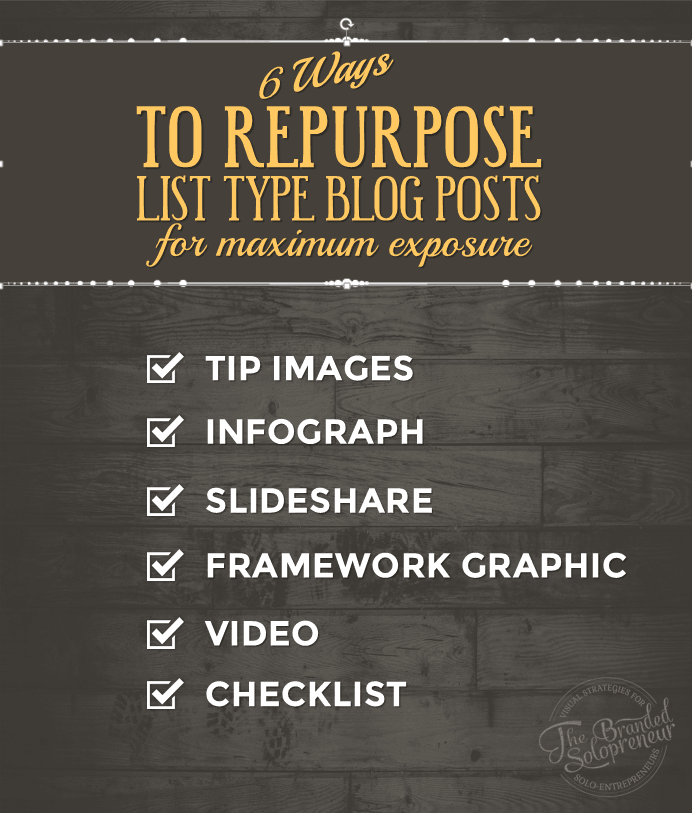
Here Are the Top 6 Ways You Can Repurpose List Type Posts:
1. TIP IMAGES
Take each item in your list and create separate images for them. Then share them as nuggets of awesome across social media platforms and with your community and list.
You could even take each tip, expand on it, and create a Twitter chat, Persicope series or a Blab discussion around it.
It’s really skies the limit here, so use your imagination!
Think about the 1-2 social platforms you’re focused on at the moment and how you can use each item on your list to create more engagement and discussion with your peeps on those platforms.
Bonus tip: Create an image template for your tip images, so you can quickly turn your past and future lists into shareable images in a snap, crackle, pop. In fact, create a template for each type of repurposed content I tackle in this post so you aren’t recreating the wheel every time. The easier you make this on yourself the more likely you’ll be to DO IT! You dig me?
2. INFOGRAPHIC
Unless you’ve been running your biz in the bathroom at your local gas station you’ve seen the viral nature of infographics. Especially on Pinterest! Us pinheads eat that shit up like hot cakes!
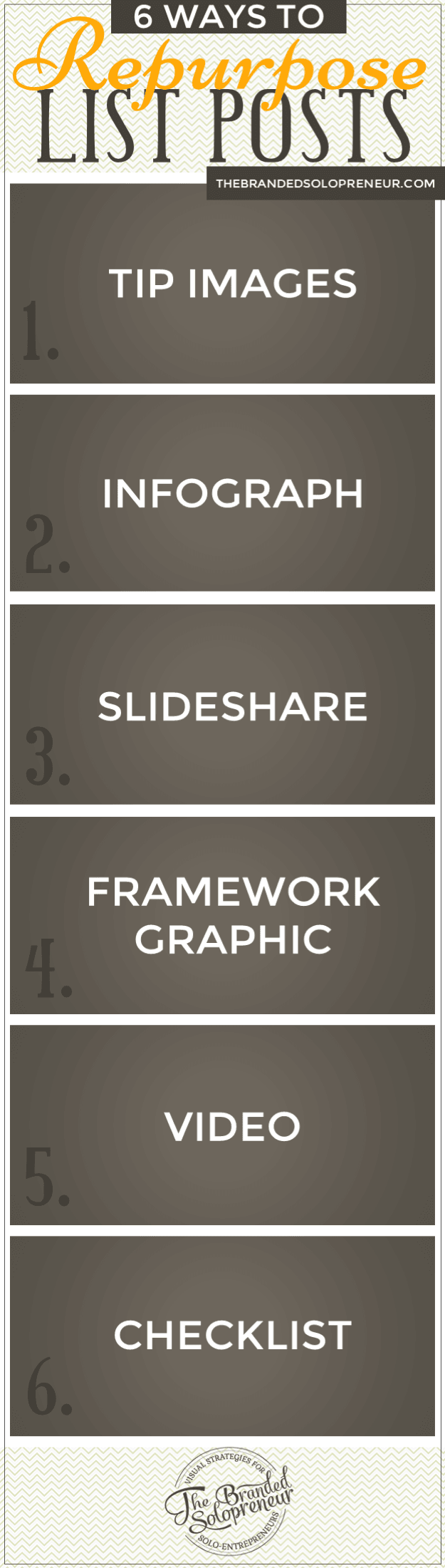
One of the most shareable ways to repurpose your list type posts is to turn them into an infographic.
It will not only breathe new life into your post, but it will also create another visual you can use to share your article on social media. You can even generate an embed code and include that in your post, which will help your peeps be able to easily feature and share your infographic in their posts and on their social profiles. Link back lovin, baby!
Share this Image On Your Site
3. SLIDESHARE
Slideshare is a tragically under utilized platform. Especially considering how insanely easy it is to use.
And list type posts are no exception.
Take your list and turn it into a quick & dirty slide show using PowerPoint or Keynote. Create a separate slide for each item in the list, produce it out as a pdf and VOILA…you’ve got yourself another shareable piece of content.
Upload that bad boy to Slideshare, grab the embed code and paste it in your blog post. Just another way your reader’s can share your list-licious content. Oh yayyer!
4. FRAMEWORK GRAPHIC
What do I mean by ‘framework’?
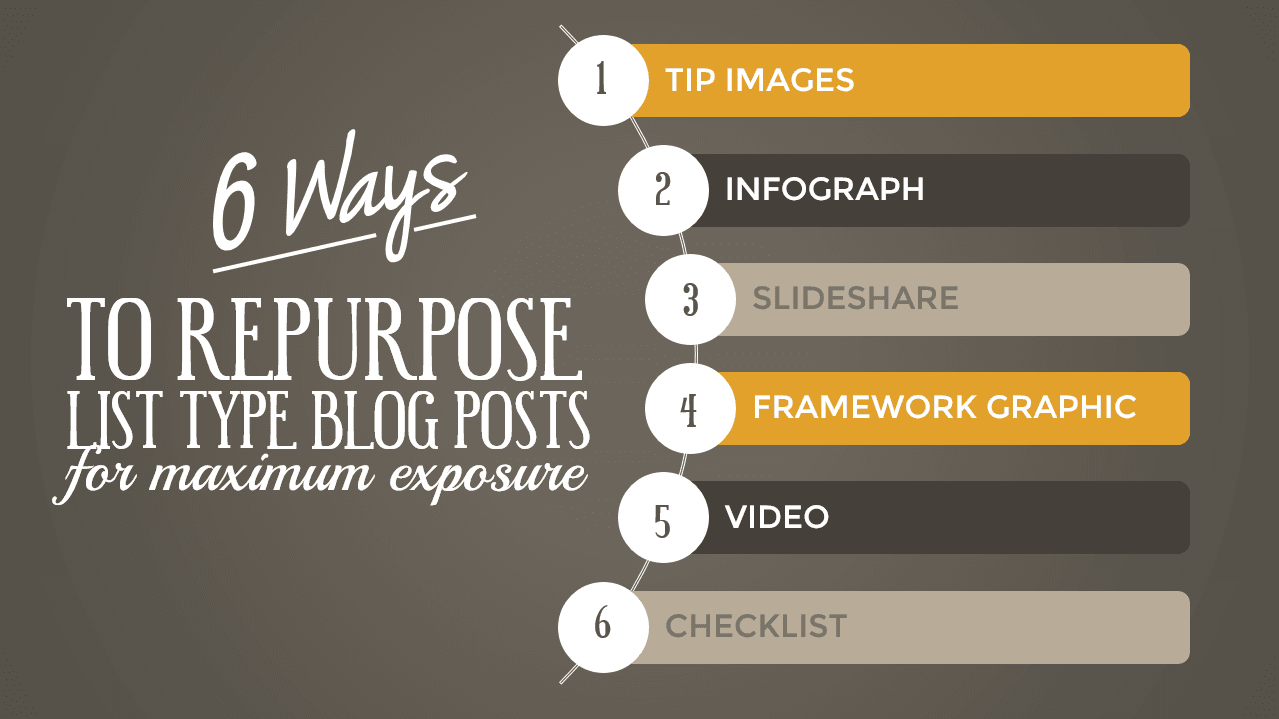
Well, it’s similar to a infographic in that it lists all of the items, BUT it’s different in the way that it presents it as an instructional guide.
In the example below, my framework graphic lists the 6 ways to repurpose a list post…and in what order. Follow this framework and you’ve got yourself a new boatload of shareable content.
See what I just did there? BAM!
Bonus tip: I created the image below using Smart Art in PowerPoint…which hint, hint…is one of the easiest ways to turn your list posts into a really cool multi-color branded visual aid.
5. VIDEO
Hold on to your seat badass, we’re about to tackle the dreaded v-word…Video!
Look, these days there’s no legit reason to avoid creating video. If you have fears about being on camera or if you have a face for radio turn to good ole screencast videos.
You can use PowerPoint or Keynote to turn the slides from your Slideshare into a video by narrating each slide and saving the file out as a video.
Why would you repurpose your list type posts into a video? Simple…
Because YouTube, Vimeo, Periscope, Blab, Meerkat, and the list goes on, are where our online world is heading. The sooner you embrace that the further you’re going to be able to grow your brand.
Plus, why wouldn’t you when it’s so damn easy? When you already have slides for your list for Slideshare how does it NOT make sense to add a little audio and turn it into a video?
The bottom line, this is an epic technique to start growing your brand via any of the video social platforms I mentioned above. Don’t believe me? Prove me wrong, I dare ya!
6. CHECKLIST
I don’t know about you but I’m certifiably coo coo for cocoa puffs when it comes to checklists! There’s just something so damn gratifying about checking shit off a list {another one of my obsessions} and watching your ‘crushing it’ status propel.
And I’m not the only one. There’s a lot of us checklist lovers out there, which makes repurposing your list type posts into downloadable checklists a no-brainer.
BUT, if that’s not reason enough there’s always the list building potential. How so?
Turn your list into a downloadable resource {like a checklist or cheat sheet} and offer it gated by an opt-in.
Meaning, people can exchange their name & email for your downloadable.
This is the exact technique I’ve used to build my list so consistently over the last year, so trust me when I tell you it’s a MUST in your repurposing arsenal.
Do NOT underestimate the appeal of a checklist or cheat sheet….there’s no denying peeps la la loooooove consuming snackable content on the go! Ride that fact to the brand building bank, yo!
Now that you have 6 new ways to repurpose your list type posts over and over again I hope you can see how invaluable repurposing is AND how much it can help you squeeze every last drop of awesome sauce out of your content creation efforts.
Blog posts are not and never should be a one and done thang!
Instead of ONE piece of content why not have upwards of 10-15+ {from EACH list} that you can use in endless ways. Remember, it’s skies the limit when it comes to repurposing, so let your creativity {and this list} guide your way!
No matter what niche your in, how much content you have, how new you are, or what social platform{s} you’re on, it all boils down to this…
- Focus on creating amazing and incredibly valuable content.
- THEN, repackage it into different modalities so you can keep breathing new life into it….and getting new eyeballs over to it.
That, my badass, is how to get maximum exposure out of your list type posts, not to mention your content in general. True story!
Awesome idea. Will take me while to digest it all. But that’s my problem.
Thank you.
Not a bad problem to have, Stepen! Just tackle one method at a time and you’ll be gravy. {fist bump for the comment love}
Badass post here Dre! I agree with you. There’s simply tons of different things we can do with our content. Repurposing is powerful. It pertains to different types of people. Some people like reading while others don’t so videos or audios may work best. Some people love pictures and infographics. By diversifying our content, we’re extending our reaching and increasing our exposure.
Love your post Dre! Keep up the badassery. ?
You got it, it’s all about getting the most out of our content and re-purposing is a huge part of that!
BIG ass high five coming at ya for the love, brotha!! To our badassery and beyond…
Hey there Dre!
Awesome post chica. I especially loved your slideshare and tip images for blog posts.
Great info! Cheers and keep rocking it out….
I will if you will! ; )
Thanks a TON for the love, Kim!!!
Hi Dre, this is my first time on your amazing blog. Pleased to meet you.
Wow this is awesome, I have quite a few list posts on my blog that I could repurpose into some new visual content. I love the first tip you shared creating images for each point on a list, although this could be very time consuming, I imagine these kinds of repurposed content could get a lot of social shares as well.
I really don’t do enough on SlidShare and I must. Thanks for putting this together you’ve given me some great ideas for a visual content eBook I’m putting together.
All the best – Fabrizio
Hey Fabrizio, welcome to the solopreneur visual learning headquarters! ; ) I’m stoked as hell that this post has helped you figure out new ways to include visual content in your ebook. The tip images are PURE awesome…there’s so many ways to use them to drive more engagement across your channels, not to mention the tons of other benefits they’ll gift ya with. They don’t have to take a long time to create either…the secret is creating a template for them. Then all you’re doing is swapping out the tip verbiage. Templates will be your best friend, brotha…for reals!
Thanks a TON for the love – here’s to kicking ass and taking names with your visual repurposing this year!
Hey Dre,
You read my mind. I want to repurpose some of my old content by using TIP Images, Infographics and Downloadable checklist. Why? Not that I’m lazy for 2016 ? but I want to work smarter and use more visual content sense it’s more appealing to many.
Plus I want to focus more on other activities like networking, promotion and list building. I wanted to do this last year, but I blamed myself on getting stuck in a routine. I can’t have that!
Thanks for the tips Dre and Happy New Year!
I’m right there with ya, bro! I’m going to do a lot more repurposing this year than creating all new content. There’s just so much awesome sauce to squeeze out of our content it makes the most sense…and it will be great for freeing up more of our time for the other efforts you mentioned.
Here’s to kicking that routine in the gut and getting more out of 2016 than any year before!!! {BIG ass hsigh five}
Hey Badass Dre,
Happy Friggin New Year.
Hope your feeling much better now after … well … what you shared in your email.
I had a similar situation for a few days but worseee.
Anyhow, love the post. The tip about the tip images is awesome and something I never thought of really. I guess to have it work effectively you need to summarize each point on the list to provide the tip.
One thing I could never get my hands around was slideshare. I tried a few times but never could get it to work forme. But, I’m not one to give up so I’ll keep trying.
Anyhow, have a great start to 2016. And looking forward to crush 2016 into smitherines, Dre.
– Andrew
Ugh…the flu…BOOOO…at least we got it out of the way already though, huh? LOL Glad you’re feeling better too, Andrew!!!
Thanks a TON for the love on this post. I can’t swoon over repurposing enough. That’s going to be a huge focus of mine this year. Repurposing the good stuff I’ve already created…there’s so many more ways to re-use it and spread it more. Let’s DO THIS!
I can’t wait to see how we kickass and take names this year too…I’ve got high hopes for us brotha…this is going to be our best year YET! Smitherines I tell ya….smitherines FO SHOW! : P
Hey Dre,
Great post.
I never knew repurposing list posts was so easy to understand.
Checklists would be great for content upgrades, right?
Thanks.
Don’t ya love when things are made easy…and they actually get results?! ; )
You bet a checklist would be a great content upgrade. Adding a gated opt-in offer to your posts is an EPIC way to grow your list, which makes this technique win/win in soooo many ways.
Here’s to your repurposing superpowers, brotha!! <3
Hi Dre,
Re-purpose of contents makes good sense since it will help address the personalization needs of different readers.
I agree with you on all of the above methods. At least, one has idea of how to go about the process.
To really make impact with the re-purposed content, there is need to ensure that the list article or post has great value for readers.
The idea of using framework graphic as a re-purpose method is revealing to me ?
You got it! There’s no reason to repurpose crappy content, but then again we should never publish anything that’s not 110% kickass….repurposing just ups the rewards from there. I’m stoked to have added the framework idea to your arsenal…here’ to repurposing and reaping all the rewards that come with it. You GOT THIS, Sunday!! ; )
Hey Dre,
Do you know what my problem is? I’ve known about pretty much all of these yet I’ve never taken action on any of them. What’s wrong with me!!! I guess I need to add this to my list of things I need to incorporate this year.
I’ve always known that I need to be putting my content on other platforms in different ways. I tried the Slideshare one time but it took me all day to create enticing images and they still weren’t that great. LOL!!!
With all the different platforms that are available to us now I need to get to work. I just want to thank you for this reminder and I promise I’ll do better.
Hey, Happy New Year and I’m excited about next week. See you soon.
~Adrienne
You’re already kicking ass, BUT just think how much MORE traffic and peeps you can get over to your awesome sauce if you just add one or two of these for now. I promise you’ll be glad you did! Start with the simplest type for you to create and then batch those bad boys out! You got this lady, you’re BEYOND a badass! Can’t thank you enough for the comment love…and I am SUPA pumped for next week. {insert happy dance}
See ya then my blogger bestie!! <3
Holy moly, I can’t believe I’ve been missing out on all of this repurposing goodness! I’m definitely going back through my content and putting these into play asap!
Thanks, Dre!
Krista
WOOT WOOT, I la la looove hearing that, Krista! Send me a link when you do so I can give the new content some serious badass love!! Thanks-o-TON for the comment love, lady!! <3
Wow, this all sounds so easy and doable. I love repurposing all over the place so doing on the blog is one of those smack my forehead times.
Not only do you get a comment, a high-five, and a thank you – I’m doing a running man dance all over the place.
I put growing my list on my priority list for 2016 and I know that many of my subscribers are checklist, info graphic, slide share nut bags. They will LOVE this.
Awwww, your comment + high five + thank you = EPIC warm & fuzzies for me! I’m sending a bundle of love right back at ya, girl! Add these and let your readers eye guzzle your awesome sauce – they’ll LOVE sharing these new modalities of your content. Here’s to your kicking ass and taking names status in 2016. Oh and hey, send me some links when you add these elements and I’ll happily shower them with TONS-o-love! ; )
All these tips are FAB! I like to add just one more thing I like doing with my blogging and I don’t mind sharing it here as a great blogging tip. After you publish your blog post you can take the blog post and convert it into a PDF to share on Slideshare.
Thanks for the love, girl! And you are FAB for the extra tip – I loooove that idea too!!
I would have never thought to use Slideshare or create an Infographic for a list post. Love that idea! Great post, Dre ?
Sometimes the best ideas are just a homie away…I’m so glad I could show you some more possibilities for getting more awesome out of your already SUPER awesome content!!! Hope the new year is treatin you and the hubs well…miss you guys!! <3
I’m doing content creation planning for the next 3 months.
Awesome ideas Dre!!!
Thank you!!
You just saved me a lot of work ?
WOOOHOOOO, I love when the universe works like that and delivers what you need when you need it! Here’s to a KICKASS content creation plan, girl!!! {high five coming at ya…}
Great ideas. I’ve heard people bandy about the term “repurposing” in countless blog posts and podcasts, but no one has ever made it seem so simple before. Plus it gives me an excuse to improve my skills creating visuals!
I’ve heard Slideshare gives great bang for your time – has anyone on here had any experience with this?
J
YAY, that’s one of the best compliments in the world, Jane – if I can break something down in a way that makes sense I call that a huge success!! And you’re so right…this is a great exercise in getting more value from your content AND honing your visual content creation skills….win/win, baby! I’ve done SlideShares a few times and they STILL continue to drive traffic to my content, so I would definitely add them to your wheel hours. Thanks a TON for the love, sweetie….now go rock the hell out of your new visual content!! {high five}
These are awesome suggestions.
Question though, are you saying edit the original post with one of these new things and share, or create a new blog post sharing this new infographic/checklist/etc?
Add these to your existing post. This will give your readers a variety of ways to consume AND share your post…which means increasing it’s shelf life exponetially. I’d approach it in batches. Meaning, create infographics for your top 5 posts…then a Smart Art graphic for them….then a Slideshare…and so on. If you create templates for each type it will be really easy to create a lot of these items in a quick amount of time. Hope that helps…you’re going to la la looove the extra exposure these get you!!! {BIG ass high five for the love…and epic question}
Love, love, LOVE your post. What great ideas for repurposing list articles and posts. I’ve been wanting to try out Slideshare, so my latest post might be a good place to start. I also love the idea of taking a list and making graphic tips out of it. Thanks Dre!
Awwww, thanks for the love, Terry! I can sit here and create visual content alll damn day long, so repurposing is one of my all-time favorite things…a lot more so than creating a new post. I’ll be going back through my old posts to add some of these extra goodies this year…and I’m so excited to do that. Nerd alert! ; ) Here’s to a flurry of awesome tip graphics from you, with your branded overlays. I call that a WIN/WIN!! {high five}
Rockin’ it as usual, Dre! Repurposing is one of my fave ways of creating content so you had me at the title. Love this post and sharing now.
You’re a repurposing Samurai, so I wouldn’t doubt you’re already on top of all of this! BIG ass high five coming at ya, I can’t thank you enough for the sharing!
Hi, Dre,
I love all of these but especially #6. That bad boy could be used as a content upgrade within a post to get even more email subscribers.
Thanks for the great info on how to do a SlideShare. I’m going to start doing them!
Sue
Exactly! I’m going to try and have a content upgrade {opt-in offer} on every post on my site by the end of the 1st quarter this year. No sense in leaving list building power on the table, right? Thanks a ton for the comment love, sweetie – I’m so pumped for us and all the ways we’re going to crush the crap outta 2016!!! Can’t wait to see your SlideShares!