


If you’re looking for ways to get more Pinterest followers and repins then I’ve got the visual strategies that will do just that.
Gone are the days of Pinterest being a virtual cork board for women searching for the perfect outfit, makeup, or recipe!
Today Pinterest:
➽ Drives more referral traffic than Google+, Twitter AND YouTube! (Social Media Today)
➽ Generates 4x’s the revenue that Twitter does (MediaBistro), and…
➽ Has 50% higher conversion rates than other traffic (Pinterest)
In short, it’s a vast piece of web real estate that as a brand you can NOT afford to ignore! Figuring out how to get more Pinterest followers has become a necessity for any business.
In fact, Pinterest can return double, triple even quadruple the investment than any other social platform…IF you leverage it to its fullest potential.
To help you do just that I’ve got 10 easy to implement and highly effective visual strategies that when utilized will foster massive growth in your Pinterest presence and following.
1. INCREASE YOUR BRAND EQUITY BY CUSTOMIZING YOUR BOARD COVERS
Brand identity is as important on social media as it is on your website. Arguably even more important.
When folks land on your website they’re greeted with your content and visual calling card (at least they should be). When they land on social media they’re greeted with a flurry of visuals and content from all over the web.
So it’s your job to carry your signature brand identity {visual calling card} over to social platforms so that your readers can spot you a mile away in the flurry.
On Pinterest one of the best ways to do that is by creating custom board covers, which will create a seamless transition between your web home and your Pinterest home.
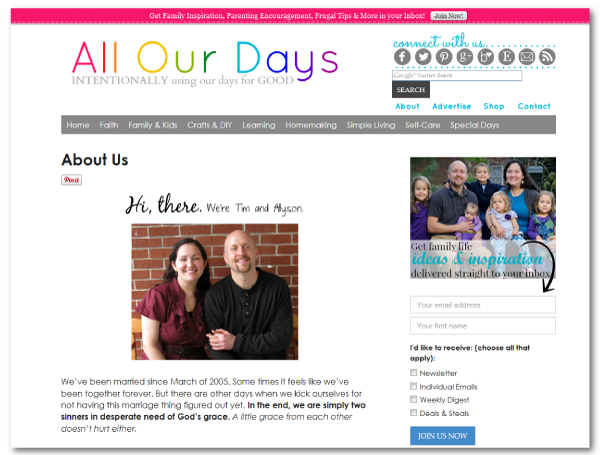
How Allyson at All Our Days Branded Her Board Covers
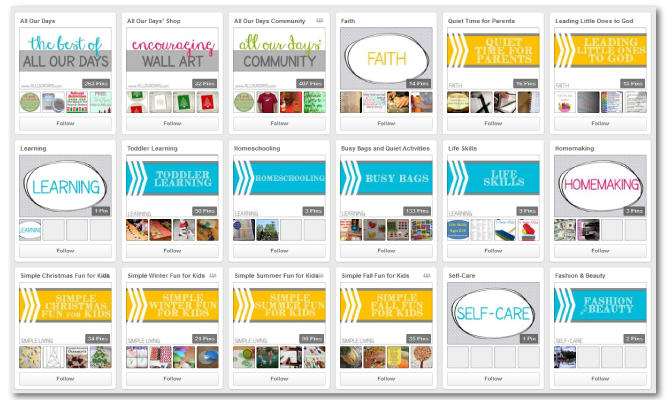
Allyson has branded her Pinterest board covers flawlessly with her overall brand identity.
When you visit Allyson’s Pinterest profile you’ll notice she has a whopping 158 boards…and NO she doesn’t create custom covers for all of her boards.
Allyson’s Website
Allyson’s Pinterest Profile
 {Allyson at All Our Days}
If you have a large number of Pinterest boards don’t get bogged down by creating a custom board cover for all of them. Instead focus on the first 2-3 rows of boards on your profile – i.e your most popular ones.
There’s two reasons for this:
- These are the boards visible when landing on your Pinterest profile without scrolling (varying depending on the device its being viewed on)
- These are your most popular boards and likely the ones that hold the majority of your content
If you want to learn exactly how to create a custom Pinterest board cover or you’d like a perfectly sized PowerPoint template to create your covers with check out my recent post on Custom Pinterest Board Covers.
2. EXPAND YOUR REACH BY PINNING VIDEOS
It’s no secret that video content is one of the most consumed and shared types of visual content on the web so you’d be a fool not to leverage them to get more Pinterest followers.
There are two strategies for sharing videos on Pinterest.
Strategy# 1: Using Images To Promote Videos
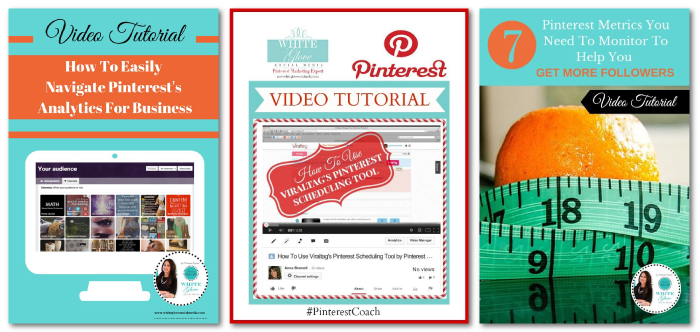
Jeff Sieh & Anna Bennet
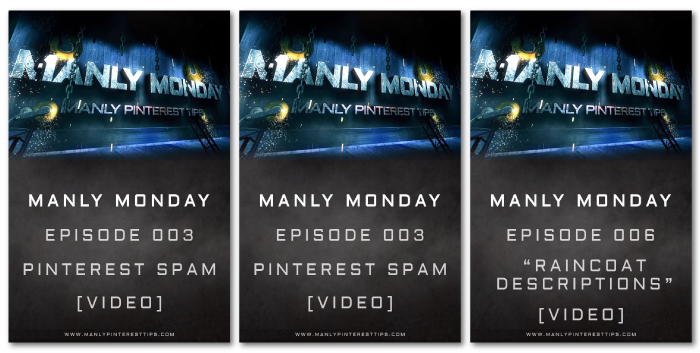
Jeff and Anna create images branded to perfection (helllllo visual calling card!) that clearly state that the pinned content is a video. Then they link the pin directly to their offsite video.
Strategy# 2: Promoting YouTube And Vimeo Videos
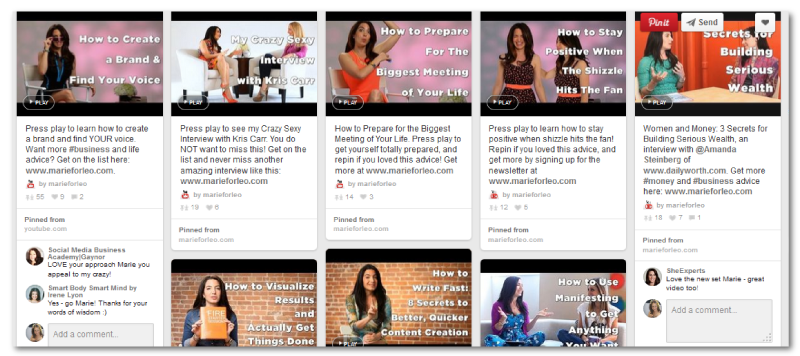
Marie Forleo
Marie opts to pin her weekly Marie TV videos directly from YouTube, which makes things click and go easy for those in a time crunch.
The added bonus of pinning your videos directly from sites like YouTube or Vimeo is that your Pinterest followers can watch the videos right there on the platform, meaning you don’t have to direct visitors off of your Pinterest board and into a flurry of other peoples content.
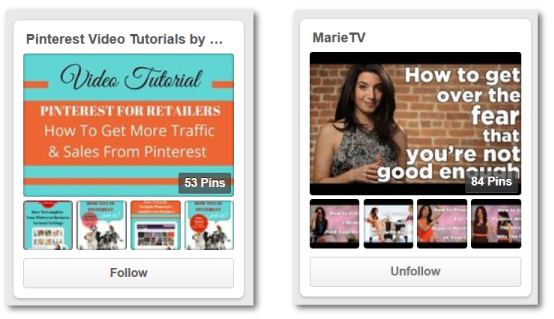
It’s worth noting that both Marie and Anna have dedicated Pinterest boards for their videos which helps their Pinterest followers and visitors locate their video content easy peasy.
3. INCREASING YOUR PINTEREST FOLLOWERS ON ONE BOARD BY PROMOTING IT ON ANOTHER BOARD
It’s common for visitors to follow only specific boards of yours and not your entire profile, which leaves new boards low on the Pinterest followers scale.
A great way to get more Pinterest followers on a new board is to promote the board itself on one of your more heavily followed boards OR any group boards you’re a contributor on.
The easiest way to do this is to pin the custom Pinterest board cover you create, but you can always create a different and more Pinterest optimized portrait (vertical) oriented image as well.
A couple tips for promoting boards on other boards:
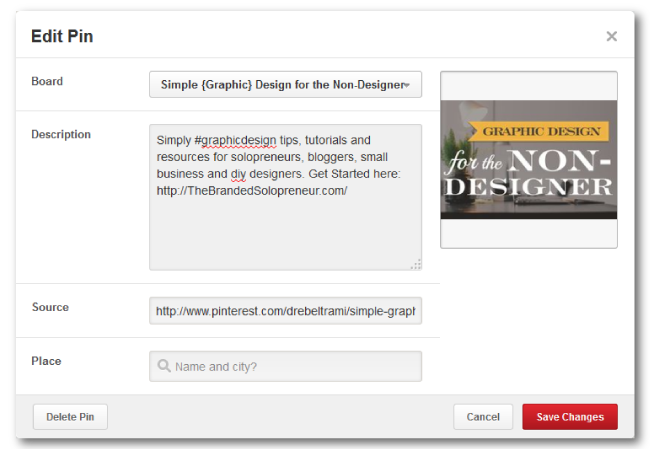
- Use the board description itself for the pin description to make sure you have an optimized and clear pin description
- Make sure you have a link to the Pinterest board in the pin source field.
4. GROW A BOARD’S FOLLOWING BY PROMOTING IT ON OTHER SOCIAL PLATFORMS
You’re going to find there are many folks following you on other social platforms (Google+, Facebook, Twitter, etc) that have active Pinterest profiles but are not following you or any of your boards yet on Pinterest. It’s your job to guide them from your profiles on these other platforms to your Pinterest profile.
There are 3 methods to do this:
Method #1: Use the image you created for your custom cover with a description of the board coupled with an enticing reason why folks want to follow your board.
Method #2: Create an image at the optimal size for the social platform you will be promoting on with the same description and reasoning mentioned in #1.
Method #3: Copy and paste the link of the board you are promoting, which will pull the thumbnail image (on most platforms, but not all) and board title in, then add the board description and reasoning as in the other two options.
Here’s an example of a post on Google+ where I promoted one of my most popular boards (using method 1#):
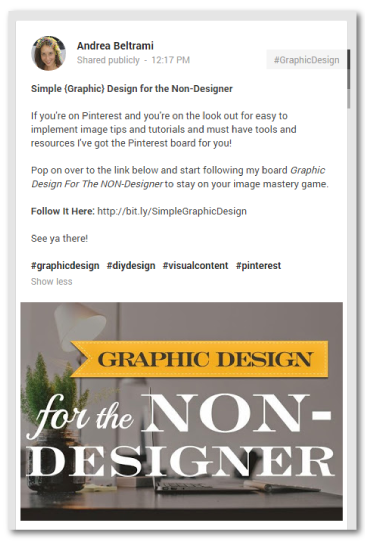 {Graphic Design for Non-Designers}
5. DAZZLE VISITORS BY SHOWCASING YOUR MOST IMPORTANT BOARDS IN THE FIRST 5 SLOTS
With as fast as people move these days it’s crucial that we lead with our best foot.
When it comes to Pinterest that means showcasing your best boards front and center.
Cynthia Sanchez
As one of the authorities on Pinterest it would serve you well to study the way Cynthia has done things to boost her Pinterest status. One of the first things you’ll notice when you land on Cynthia’s Pinterest profile is that she has her most important and popular boards in the first 5 slots.
This is because the top 5-8 boards are what folks see when they land on your profile without scrolling (except for mobile phones). So you want to make the most out of a visitors quick scan so they can quickly determine the topic and material of your profile without investing much time.
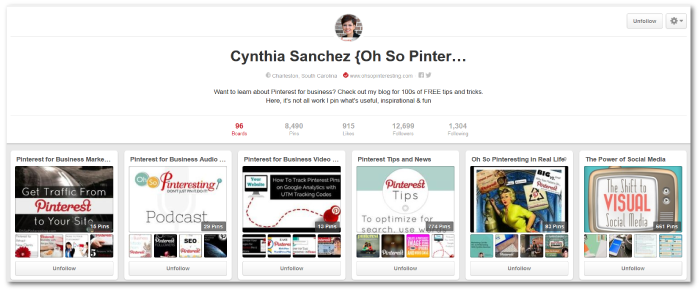
Keep in mind the order of your board relevancy/importance can change from time to time. For instance, you may move holiday boards to the top during the appropriate seasons or you might move topical boards to the top while you are running a specific marketing campaign.
The bottom line: If visitors like what they see in a quick scan…they WILL scroll to see more!
6. BOOST YOUR PINTEREST AMPLIFICATION USING GROUP BOARDS
If you’ve ever wished you could get access to another pinner’s followers there is a solution. It’s called group boards.
Creating a group boards work like this:
- You create a Pinterest board
- You invite other pinners to be “contributors”, meaning they can pin to the board as well
- Anyone that is following those pinners profiles (i.e their whole profile, not just specific boards) will now be following your group board
So you can see how this strategy can double, triple or quadruple your Pinterest reach in mere seconds.
You can also request to be added to an existing group board that someone else has created. There are usually instructions in the group board’s description on how to request to be added OR you can always message the group board’s creator via the Pinterest messenger feature to ask about being added as a contributor.
Now here’s a couple tips for how to handle Pinterest group boards:
➽ If you want to create a group board focus on a specific topic that others are actively pinning about.
Examples of popular group boards: Pinterest Tips + Tricks for Business, Entrepreneur Success, #Social Media Hub, Just Good Food and Everyone’s Social Media Resource
➽ If you’re just getting started and want to get more Pinterest followers it’s smart to create a group board on a topic you create {or curate} a lot of content about. Then, focus your efforts on pinning content to that board daily. The more consistent the pinning and the higher quality the pins the more your group board is going to be recommended to others that pin the same type of content.
For instance, if you created a Pinterest group board called “DIY Projects For Kids” (because you create a lot of content about kid friendly craft projects) you should focus on pinning other people’s DIY projects to that board on a daily basis. This is opposed to creating 10 different non-group boards on topics and spreading pins between those.
➽ Keep in mind you can only invite people to become a contributor to your group board IF you are both following at least one of the others boards.
➽ Don’t create a group board and immediately invite others to pin to it before you’ve grown the board a bit. Meaning, only after a couple weeks of consistently pinning on a daily basis to your new group board (you want a a lot of quality pins on the board – remember people will initially only invest a quick scan to determine relevancy) should you start sending invitations to others that pin similar content.
➽ Keep an eye on the followers you get and check out their profiles. IF they have a good size following and they pin similar quality content send them an invite to your group board. The point here is that they’ve already made the choice to follow your board(s), which not only makes it possible to send them an invitation to a group board, but it also increases the likelihood of them accepting a invitation since they’ve already shown interest in what you’re pinning.
7. ACCELERATE PINTEREST REPINS BY INCLUDING A ‘PIN IT FOR LATER’ LINK
Since Peg Fitzpatrick came up with this brilliant strategy it’s caught on like wild fire, because it works!
Add “Pin It For Later: {insert pin link}” at the end of posts on other social media platforms. There’s nothing better than bridging the gap between your Pinterest profile and your other social profiles!
Here’s an example from a post on Google+:
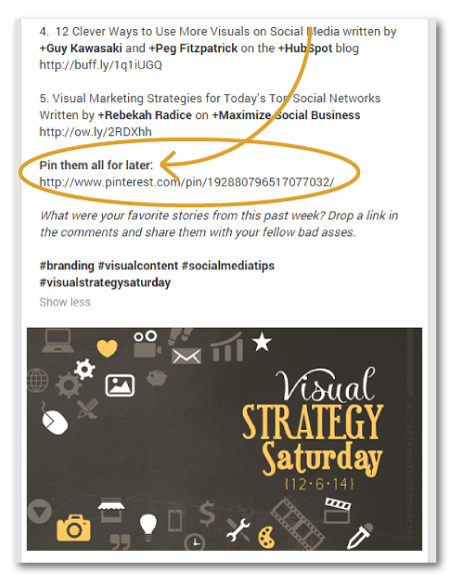
8. MAXIMIZE YOUR PINTEREST EXPOSURE BY USING THE SOCIAL WARFARE PLUGIN
A common problem many bloggers on WordPress face with Pinterest is that most themes require landscape (horizontal) oriented images while portrait (vertical) images perform better on Pinterest. That’s a big fat BOOOOOO, right?! There hasn’t been much we could do about that….until now!
Enter the WordPress plugin called Social Warfare. A plugin that alone can substantially help you get more Pinterest followers. Yep, it’s THAT mighty!
Dustin W. Stout, Jason T. Wiser and Nicholas Cardot have joined forces and created the perfect solution to the blog vs. Pinterest image conundrum.
There are several social sharing features that make Social Warfare reign supreme over all other social sharing plugins (including a fully customizable “click to tweet” feature) but the best is the ability to share a perfectly Pinterest optimized image that hides behind the scenes.
How Social Warfare works:
- Purchase and load the plugin onto your WordPress blog
- Create a blog post
- Upload your Pinterest friendly image and fully optimized description in the box provided
- Now when someone clicks the Pinterest sharing button they will automatically share the Pinterest (vertical) image, rather than the blog (horizontal) image – without any extra steps from them.
The SocialWarfare WordPress Interface (In Blog Posts)
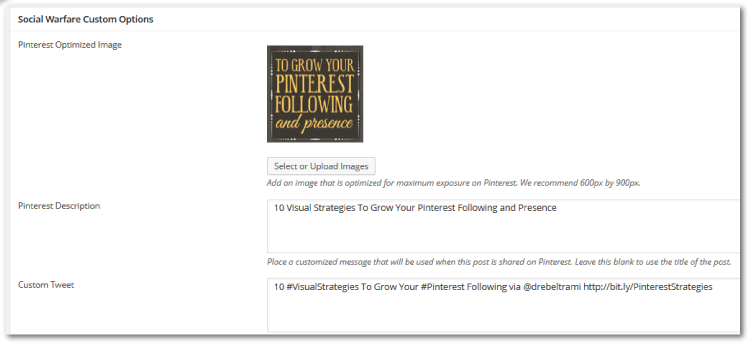
Here’s an example of the Social Warfare WordPress plugin in action on Thomas E. Hanna’s blog:
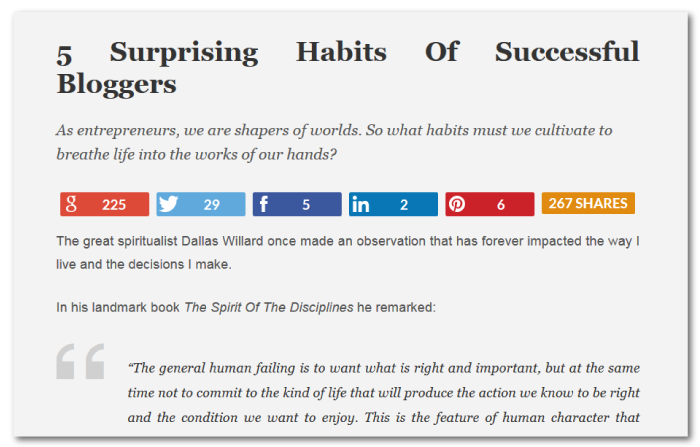
The Blog Featured Image
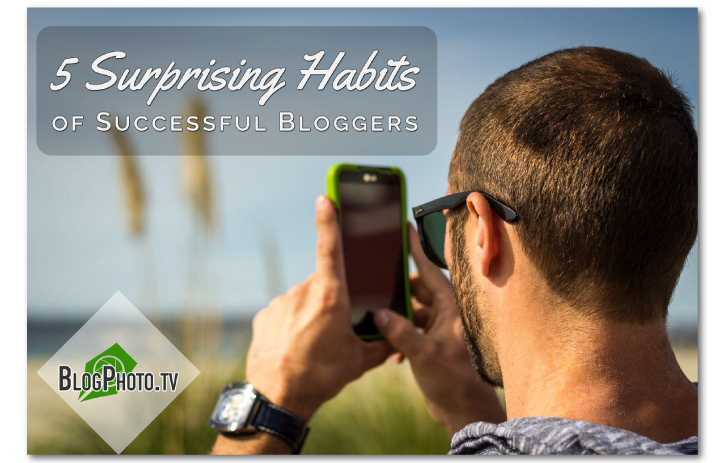
The Pinterest Optimized Image
 At a measly $24 (for a single blog license) the Social Warfare plugin is a no brainer. Your Pinterest analytics will thank you over and over again!
9. GRAB MORE FOLLOWERS BY FEATURING A PINTEREST WIDGET ON YOUR SIDEBAR
We’re all trained to look for social sharing buttons on websites and blogs but let’s get real…it’s a button. Not very visually stimulating!
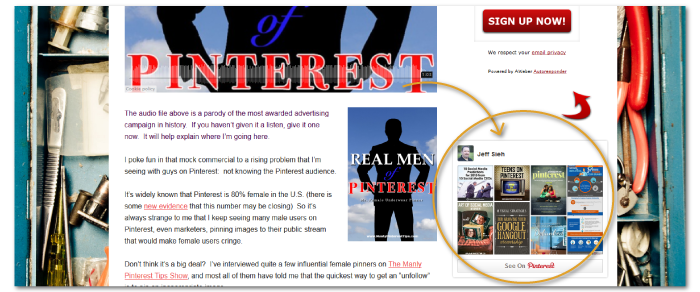
Instead of a standard and stale button why not create a Pinterest widget for your sidebar that will display your latest 8-10 pins. Now THAT’S eye catching and visually stimulating! It also gives your visitors a chance to check out your pins without having to leave your site and get lost in the flurry or visual stimulation on Pinterest.
Here’s an example of the Pinterest widget on Jeff Sieh’s blog sidebar:
10. SAVE TIME BY USING SECRET BOARDS FOR YOUR SWIPE FILES
Last but certainly not least! This one is more of an honorable mention and less of a following builder, but the hoards of time it’ll save you WILL give you more time to focus on the good stuff – getting more Pinterest followers, of course!
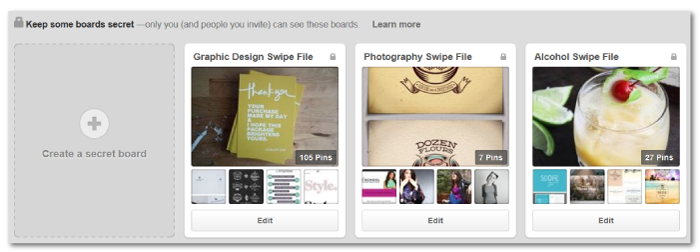
Another great way to leverage the power of Pinterest is to create swipe files using secret boards.
This can include any type of images, photographs, infographs, projects and so on that are just for your needs and not something you want to share publicly.
I have secret board swipe files for graphics I want to model, articles and infographs I want to reference or use as resources in future blog articles, and photographs I want to recreate. I even created a swipe file for the cocktails I wanted to include in my branding project “12 Days of Happy Hour”.
This strategy is a HUGE time saver because it puts your files all in one place AND easily accessible anywhere you go, since you can access Pinterest on desktop, wireless and mobile devices. Can I get a ‘hell yeah’??!
There you have it!
10 visual strategies to help you get more Pinterest follwers and squeeze every ounce of power packed inside the webs 4th favorite social platform.
Implement these strategies and watch your presence and following on Pinterest transform into a lush garden of traffic, leads and fans that’s constantly growing and blossoming!
Want more branding and visual strategies to help you become instantly recognizable online? Sign up below to become a member of our Solopreneur Society and you’ll get access to exclusive content and resources I only share with the badasses in this community. Including ‘A Solopreneur’s Quick & Dirty Guide To Branding’!
How do you keep up with the continual evolution of the Pinterest algorithms and changing UI?
Pretty much by staying active and strong arming my Pinterest homies to keep me in the loop when changes are made. Staying in the know is one of the major reasons I preach to keep social efforts to a MAX of 2 platforms at a time. Keeping on top of the ever changing social landscape is a full-time job in and of itself.
These are great tips, Andrea! Thank you. I have been using Social Warfare since you recommended it, and I’ve seen a big jump in my Pinterest traffic. I’ve also been using BoardBooster, and I have it set up to loop my pins as well as schedule to group boards. Major time saver, which means I’m basically just checking in to Pinterest every once in a while instead of trying to always go in and pin stuff manually!
RIGHT! I love Pinterest because it gifts the richest rewards with the least amount of time…when done right!
I love hearing you’re seeing growth and kicking ass. Here’s to your Pinterest mastery, girl!!! {fist bump}
Great tips! I’m new to Pinterest, learning process… Just yesterday I heard some opinion that hashtags are confusing Pinterest by some way when it shows your pins in a search result. What do you think about using hashtags in Pin’s description? Do they help to get good search rankings or Pinterest shows the best Pins first anyway?
From everything I’ve learned from my Pinterest expert besties there’s no need to use hashtags on pin descriptions, but SEO {keywords} in your descriptions is paramount. So ditch the hashtags and make sure your targeted keywords are in your description.
Thanks a TON for the love on this post, Anna! BIG ass high five coming at ya… ; )
Thanks for reply ?
Thanks for including me in your post Andrea!
You bet, Anna – my personal Pinterest go to gal!
I can’t figure out how to upload my picture as a pin. The + button that you show in the instructions is nowhere to be found. ?? Help!
Hey Dawnmarie! The button is now on the bottom right hand corner when viewing your boards/profile. There’s a ‘+’ button and below that a ‘?’ button. Do you see those?
So helpful. So happy I came across this post. Thank u!
My pleasure! Let me know how the strategies work for you.