


**This is a guest post by Sue Anne Dunlevie from SuccessfulBlogging.com**
What do you need in order to build and monetize a successful blog?
The answer is simpler than you think:
You need an email list.
This is by far the most important part of your business.
As Pat Flynn of Smart Passive Income puts it:
One of the biggest mistakes I made as a blogger and business owner was not starting an email list right from the start.
Pat’s blog is a million-dollar business. It’s THAT important.
At the same time, you’re trying to figure out how to grow your blog traffic.
And that’s a major challenge!
But remember this:
You can have all the traffic in the world. To make money as a blogger it needs to convert into subscribers.
Without subscribers, you don’t have a business. Here’s why:
➽ Your list is your primary sales channel. People buy from people they trust and with your list, you’re building strong relationships with your readers.
➽ You own your email list. On social media and other platforms like Medium, someone else is in charge of how that platform operates.
➽ Your readers are your biggest fans. They love your content so much that they’ve willingly opted in to hear from you on a regular basis.
If you’re scratching your head and desperately trying to figure out how to convert your traffic into subscribers, I have good news…
Today, I’ll walk you through all the best ways to do just that.
Implementing these methods will have a big impact on your blog conversions.
In fact, I know this to be true because I see it over and over again with my clients.
1. CREATE A LEAD MAGNET THAT CONVERTS
You need a strong call to action (CTA) to convert your readers to subscribers.
Something that solves a problem and is so irresistible that your readers feel they HAVE to get it:
A lead magnet.
A lead magnet is a free gift your readers receive when they sign up to your list.
There are a few things you need to remember when creating your lead magnet.
The MOST important part is your headline.
Go for short and sweet and make sure you cover your readers’ pain points.
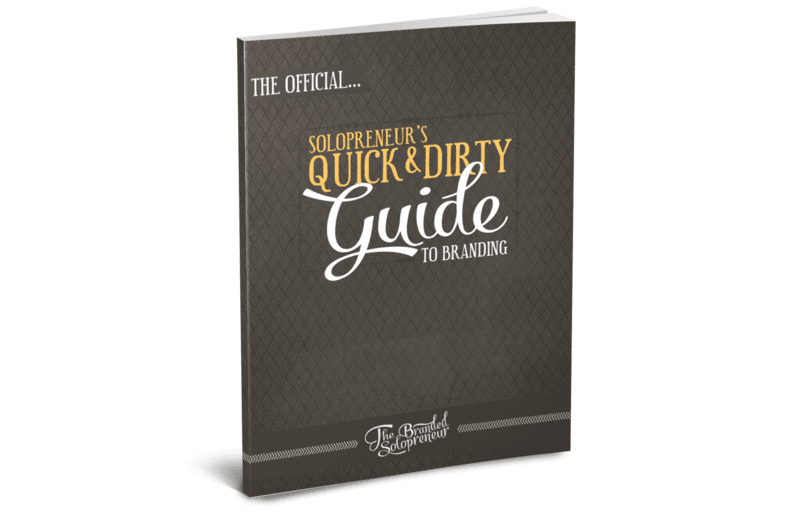
Dre has a great headline that addresses one of your biggest pain points: “A Solopreneur’s Quick & Dirty Guide to Branding.” Similarly, my headline is: “How to Attract 1000 Subscribers in 30 Days.”
Here are some examples you can use:
“How To XX”
“The 5 Step Plan To XX”
“The 3 Mistakes XX Make”
For example, if your blog is about interior design and you know that your readers want to learn how to decorate their living room, you might want to use a lead magnet like “The 5 Step Plan to Decorate Your Living Room in 10 Days.”
When you have a strong headline, you need to write a compelling CTA.
Including a CTA that says “Subscribe now” doesn’t entice your readers to take action.
It’s too generic!
Instead, include a call to action that encourages immediate action and says something along these lines:
“Get it now!”
“Let me have it”
“Yes! I want it!”
When you have a headline and a CTA, most bloggers leave it at that.
But there’s one more thing you should know.
To really convert those readers, your lead magnet should be as actionable as possible.
And eBooks and email courses can be insanely valuable and a great offer…
…Except they’re insanely impractical.
Just think about it:
How many email courses do you have time to implement?
How many eBooks do you have time to read?
Didn’t think so!
Instead, people want quick solutions to their problems.
According to LeadPages, small and actionable lead magnets convert better.
For example, offer cheat sheets, resource lists, quizzes, templates or an interview with an expert in your niche.
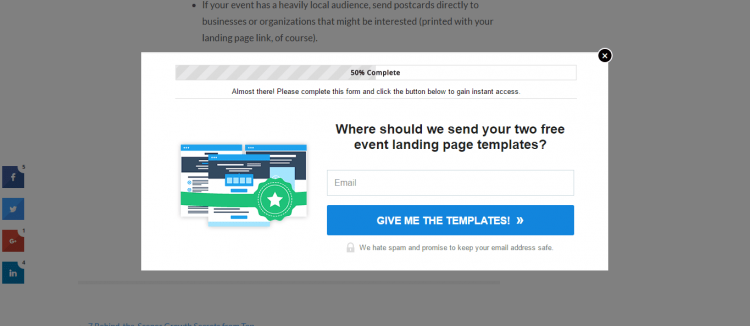
Here’s an example from LeadPages where they offer two free event landing pages (great offer!):
2. INCLUDE STRATEGIC EMAIL OPT-IN BOXES
Now that you have a lead magnet, you’ll need opt-in boxes to enable your visitors to download it.
There are several excellent options and we’ll look at all of them.
First up:
The Opt-In Landing Page.
When you use a landing page on your site, your visitors are directed to it when they type in your URL.
A landing page is a great way to get visitors to focus on one action:
Opting in.
…Which converts visitors into subscribers.
Here’s a great example of a landing page on QuickSprout:

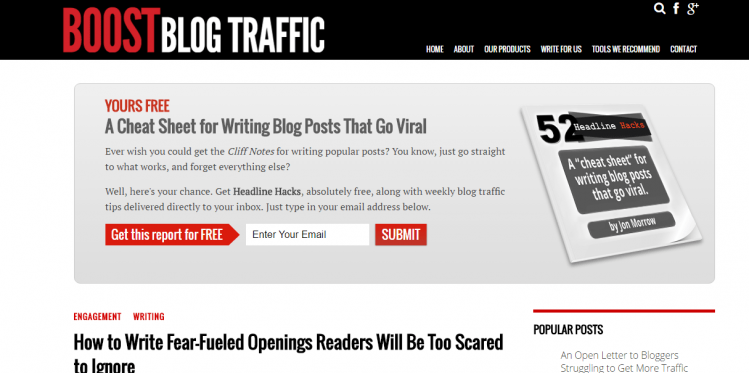
Next, we have the Feature Opt-In Box.
This is an opt-in box you add to the upper part of your blog.
In other words, it’s very visible – and converts your visitors.
Here’s an example on Boost Blog Traffic:
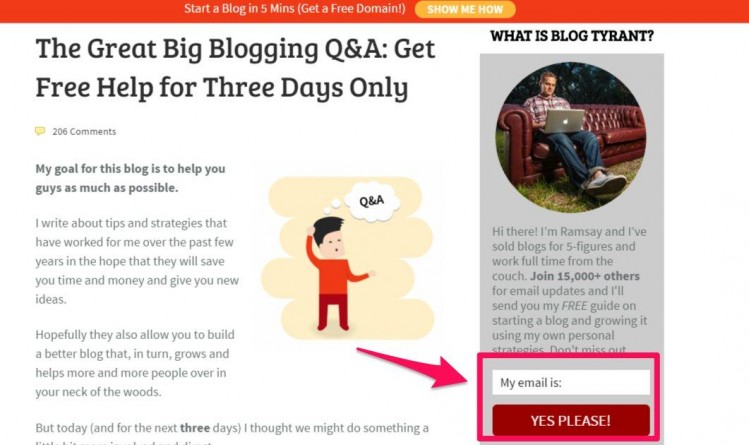
Third, there’s the Sidebar Opt-In Box.
I’ll be honest with you:
This opt-in box is not the most effective opt-in box. But it can capture a few extra subscribers.
This example from Blog Tyrant shows what an effective Sidebar Opt-In Box looks like:
The fourth opt-in box is the Splash Page or Welcome Mat.
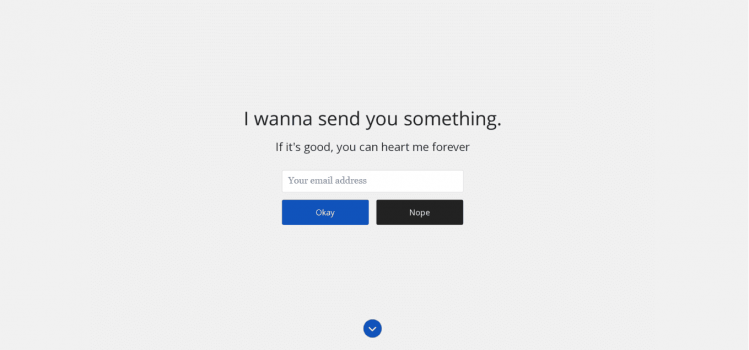
The Welcome Mat is a full page opt-in form that prevents visitors from accessing your blog without opting in.
In other words, the Welcome Mat is extremely effective.
At the same time, it can feel a bit intimidating. That’s why you can show it to your visitors the first time they visit your site and never again after that.
This Welcome Mat on OkDork is what you want your Welcome Mat to look like:
Next up:
Popups.
You know, those boxes that pop up when you visit a site.
I know what you’re thinking:
“They’re so intruding… I’ll just annoy my visitors.”
And yes, popups can be annoying.
But they work.
That said, there are a few things you can do to create a better user experience with popups.
First, don’t use traditional popups that appear a few seconds after your visitor has clicked through to your site.
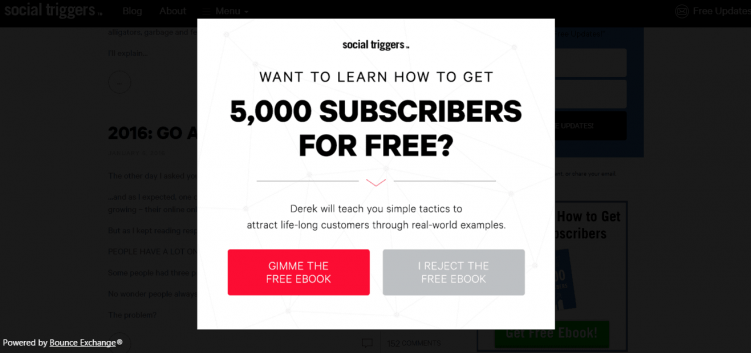
Instead, use an Exit Intent popup. This popup appears when visitors have read your content and are about to exit your site.
Or you could use the Scroll Bar. This is a popup that appears when visitors scroll down on your web page.
These popups ensure that you’re not annoying visitors, but offering something valuable to interested readers.
Here’s how Derek Halpern of Social Triggers uses popups:
The Hello Bar is another great way to capture those subscribers.
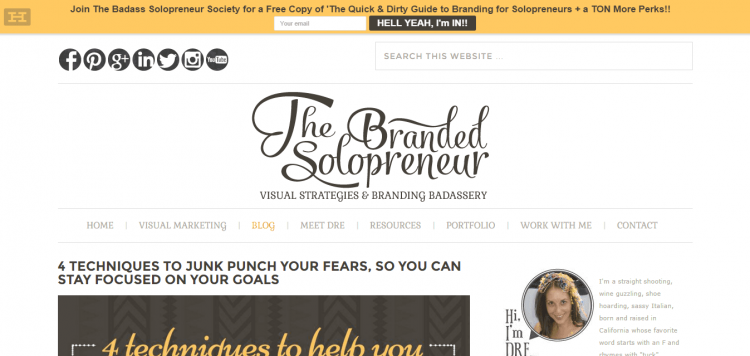
The Hello Bar is a visible banner opt-in box on the top of your site.
Dre’s own Hello Bar is an excellent example (you can see it above this post):
Last but not least, there are a few opt-in boxes that you can place at the end of a post or between posts.
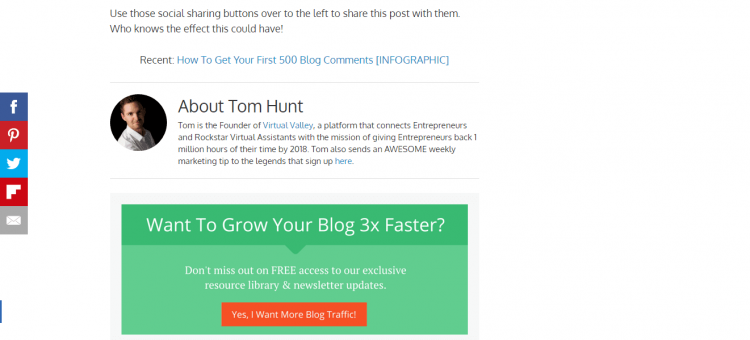
First, Adam Connell of Blogging Wizard has an opt-in box at the end of his blog posts:
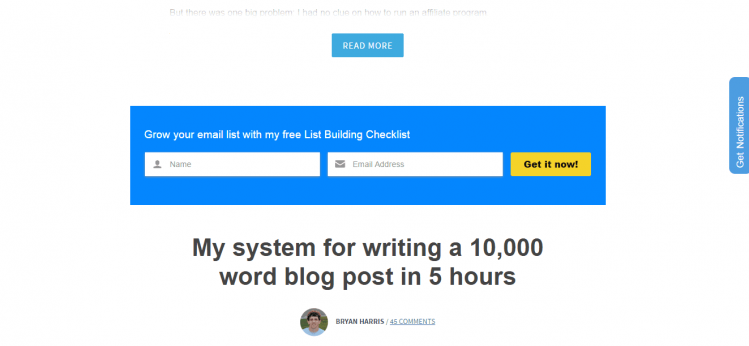
Or you can do what Bryan Harris of Videofruit does and include it between posts:
 3. CREATE A CONTENT UPGRADE TO BOOST YOUR CONVERSION RATE FOR EVERY POST
If major bloggers like Brian Dean and Derek Halpern recommend something, you better listen!
And they recommend that you use the Content Upgrade.
We’ve already looked at how you can create a lead magnet for your blog.
But to really capture all those subscribers, you want to have a general lead magnet for your blog AND content upgrades for every blog post.
Content upgrades are bonuses you include in your posts.
For example, if your post is about the best ways to snap a picture with your phone, your content upgrade could be a checklist that your reader can use to take his or her own photos.
Here’s how Brian Dean uses content upgrades on Backlinko:
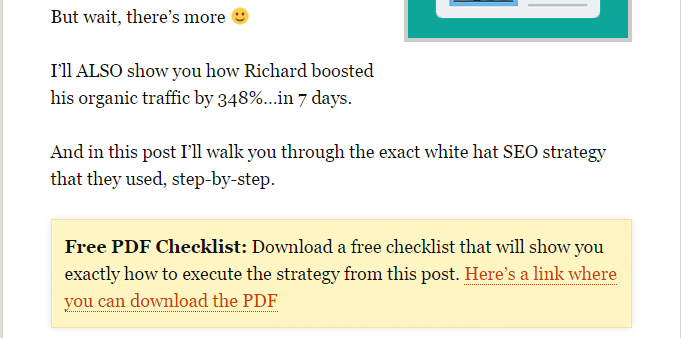
Include your opt-in box once in the beginning of your post and once again at the end of your post.
HOW TO GET STARTED
We’ve looked at how to create a lead magnet, how to position your opt-in boxes and how to use content upgrades.
Congrats! You’ve come this far.
Now there’s just one thing you need to do:
Implement what you’ve learned.
This is where the fun begins.
You get to experiment and see what works for your blog and what doesn’t.
I know it’s hard to get started with something new.
That’s why you should start with one tactic and go from there.
For example, create a lead magnet and use just one opt-in box.
To create your lead magnet, you can use a free service like Canva.
And for your lead magnet opt-in box, use free services like Sumo and Hello Bar. For your content upgrade box, you can use LeadPages and Content Upgrades Pro.
Then add more opt-in boxes when you start to get a hang of it.
Remember that the opt-in boxes WILL get you results!
Not using them means you’re leaving hundreds (or even thousands) of dollars on the table.
WAIT! THERE’S MORE…
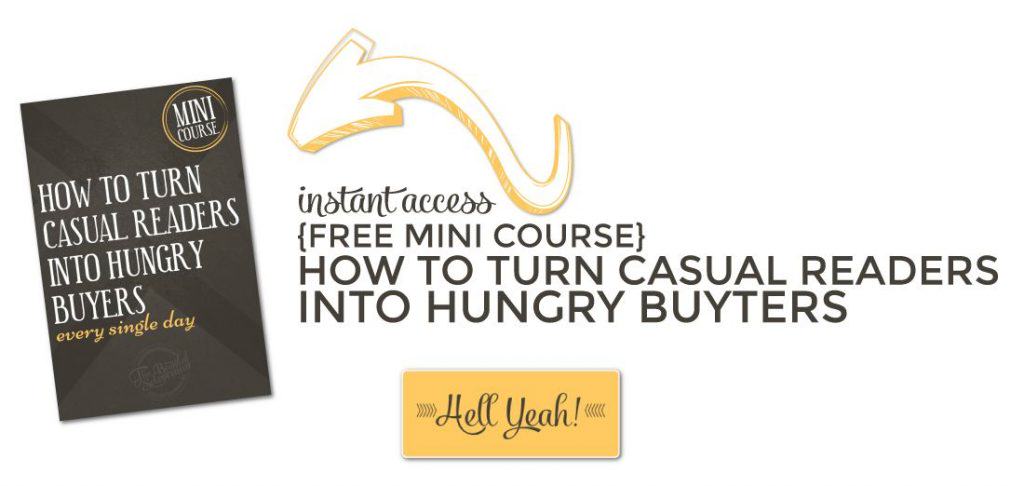
Want to learn how to turn your new subscribers into HUNGRY buyers….ever single damn day {even when you’re playing hooky}??
 Sue Anne Dunlevie is the Blogging Coach at Successful Blogging, where she helps beginning bloggers earn a living with their blog. As a free bonus, she has written a report on “How To Attract 1000 Subscribers In 30 Days”.
Hey Sue and Dre,
There are many ways to turn your traffic into subscribers but the tips you mentioned are popular and very productive.
As a matter of fact I just started using content upgrades this year. Although I’m publishing less blog posts and commenting less, I’m getting more subscribers than I was last year. I’ve only written 2 short PDFs and they have been of great help.
I plan on writing more quick list PDFs and add them to both old and new blog posts.
Thanks for the tips! Have a good one!
WOOHOOOO, that’s awesome to hear, Sherman! It’s not about working more, it’s about working smarter. Yeah, baby. ; )
Thanks for lobbing some comment love our way – now go back to rocking your list…
Sue!
Awesome you’re up here dropping knowledge bombs! Love it.
I recently started a new blog and still don’t have a lead magnet. But, I’m doing content upgrades. Well I have one that I use for every post like a lead magnet, but I just made a second content upgrade and now have variety.
I’m not seeing a lot of subscribers yet, but the blog is still new. I think it has more to do with my email provider than anything else. I’m toying with an idea of creating a page specific to my content upgrade and hype it all up and then pin it all over Pinterest and tweet it out. I can do that for each of my content upgrades? I don’t know if that would make a difference, but it might?
Until I have a strong lead magnet, I’m doing everything else. No exit intent yet or anything intrusive. But, I may in the future ?
Thanks Sue and Dre for some great tips as usual.
HELL YEAH do that for your content upgrades. Create some Pinterest optimized images for them and start pinning them to a different group board everyday. Tweet it out everyday, and spread it across your other social channels. It certainly can’t hurt! This is what I did and still do and I get a steady flow of opt-ins everyday.
Thanks for the comment and social love, sistah!! {fist bump}
Hi Sue,
Excellent post you’ve put together here.
“That’s why you can show it to your visitors the first time they visit your site and never again after that.”
^ I’m so glad you said that.
I have to be honest — I find welcome mats ugly, slow-loading, and intrusive. I’m not a fan.
Generally, it isn’t the welcome mat itself that annoys me… it’s how the blogger has it configured. As you said, let it load once — and then never again. Or at least wait a week or something.
But so often, I see them appear on every single page load… even after I left a comment. That’s just pure craziness.
I implemented your tip about creating post-specific lead magnets (upgrades) when I re-branded my blog earlier this year. They’ve done a lot to boost my conversion rate.
One other tactic I find highly effective is inserting opt-in boxes within my post content. So if I create a post about scheduling and time management, I offer my free schedule download a couple of times throughout the post. An opt-in box works, or an on-click popup.
And on the topic of popups… glad you drew attention to exit intent versus time delay. I don’t think anyone gets too offended by exit intent popups… the on-page-load popups are another story. ?
Overall, this post is packed full of great nuggets. Thank you.
And thank you, Dre, for having Sue on your blog.
Brent
I despise welcome mats in all their forms, but I’ve never been shy about my feelings about interrupting my user experience.
I’m gonna have to try peppering my pops with my opt-in, instead of just putting it at the end. I’ve seen you do this and wondered if it was making a dent in your conversions.
Thanks a ton for the comment love, brotha man!!
Great advice in this well written post! Thank you for tips that are easy to take action on, Sue!
That’s one of the reasons I love Sue, she keeps it short, sweet and BS free!
Thanks a ton for the comment love, Lucy! {BIG ass high five}
Such great ideas here! But I wouldn’t expect anything less from 2 AMAZING bloggers and ladies ?
Thanks Sue Anne and Dre for putting this together.
Awww, best warm & fuzzies EVA…thanks for that, Corinne. Here’s to implementing this good stuff and gettin yourself a kickass and rapidly growing list!
Love the tips here Sue! Definitely powerful. It would be such a waste to get all that traffic and not be able to capture and welcome them into your circle. Definitely critical to build a list. Thanks for sharing these tips!
You got that right! It’s like sending a party invite out and never throwing the party…booooo! ; )
BIG ass high five for the comment love, PJ!
You are spot-on, PJ. You here that from famous bloggers all the time – “I should have started an email list as soon as I got my blog up”.
I so appreciate your comment on my post here at Dre’s great blog.
Sue
An easy, neat and quick to follow guide. And i absolutely love the examples sue.
That IT IS! Thanks a ton for the comment love, Stefany! {big ass high five}
I so appreciate you stopping by today, Stefany! You are doing a great job with your new Lead Magnet.
Sue
Yep this guide was quick! And yep it WAS dirty! And yep I absolutely loved it! Great tips Sue Anne Dunlevie!
Haha, my kinda girl!! Thanks for the quick & dirty comment love, Keesha. ; )
Hi, Keesha,
Thanks for reading and taking the time to comment on my post!
Sue
Three of the best ideas I’ve seen *ever* for making your blog profitable! Love the examples showing you how to implement these too!
Saweeeet, thanks for the epic feedback, John! If there’s one gal that knows how to profit from a blog it’s Sue. Here’s to implementing these ideas on your blog and watching the profits flow in!!
Hi, John,
Thanks so much for stopping by to read my guest post. Dre is the best and it is a privilege to talk to her great readers.
I appreciate it!
Sue
wow Sue, what a great blueprint! thank you for all the great ideas and tips.
Thank YOU for the comment love, Jane!
Jane, you are so welcome!
Thanks so much for your comment today.
Sue
Always a pleasure to “hijack” your blog, Dre!
Thanks,
Sue
Always a pleasure when it’s you hijacking it, lady!! {fist bump}